Oopbuy Finds
Looking for an oopbuy spreadsheet? Open the third-party search entry in Source references below, then use this checklist to trace candidate rows to their original listings. This is not a verified product spreadsheet or live Oopbuy inventory. FindHaul is independent and is not affiliated with Oopbuy.
Find a source product before using Oopbuy
Search FindHaul's live, cross-agent product-source catalogue by name or category. Open the original seller listing and check the exact option. You can then examine generated links for the 15 agents supported by the converter, if Oopbuy is among them. This is not a verified Oopbuy spreadsheet or proof that the agent accepts a particular product.
A source record or generated URL does not verify current stock, QC photos, selected variants, checkout success or compatibility with Oopbuy.
Start with a source item, then check Oopbuy
These three cross-agent source records give you an item ID, an original Weidian link and a generated Oopbuy destination. They are not an official Oopbuy spreadsheet, a best-seller ranking or verified Oopbuy inventory.
API retrieval: . The API labelled these source links checked but supplies no individual check timestamp. Recorded CNY prices can be stale or apply to a starting option; seller images are not warehouse QC. Loading, stock and checkout on the generated agent links remain untested for these examples.
Separate source-response check on October 2, 2026: all three original Weidian URLs returned HTTP 200 and included the matching item ID and seller title in their public response. This checks the link and identity only, not the selected option, current price, stock or product quality.
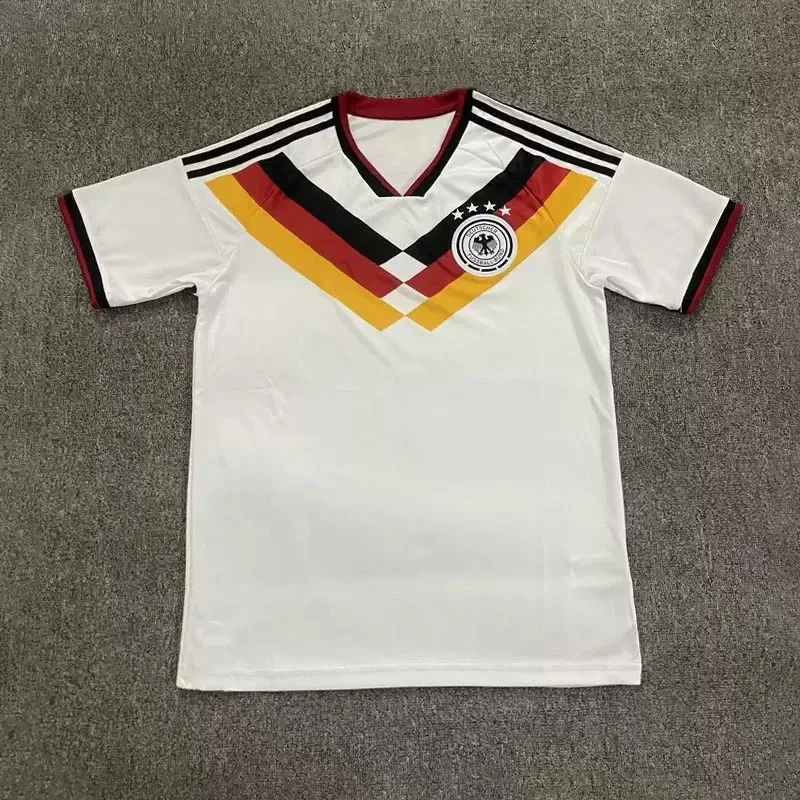
Soccer jersey
Recorded seller title: German soccer jersey
Source ID: 7706507201
Recorded price: CNY 78.00Jerseys · Source link checked in API; not a QC result
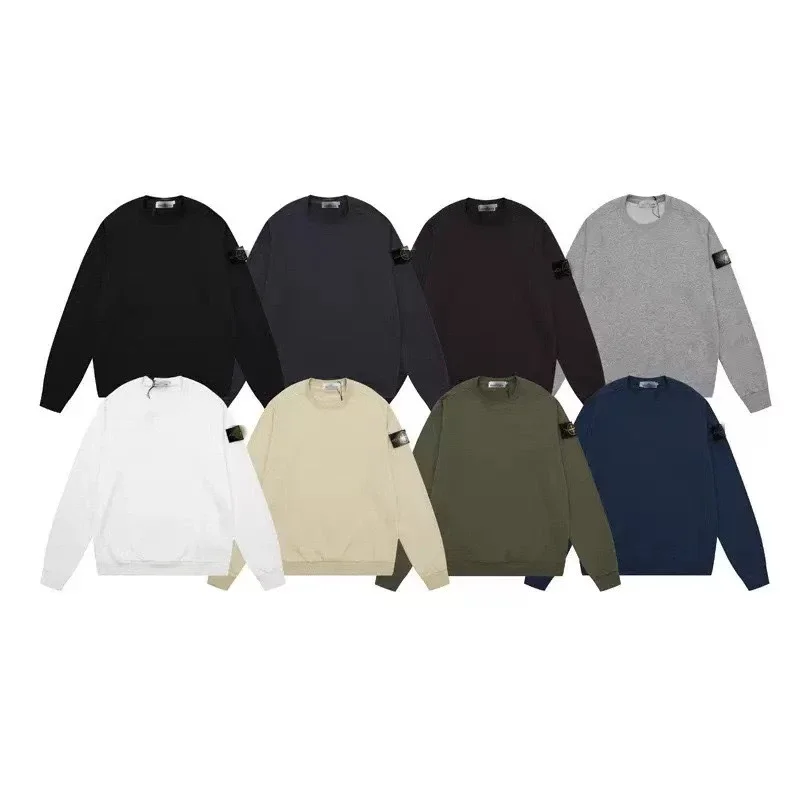
Crewneck sweatshirt
Recorded seller title: 卫衣纯色圆领微章长袖男女同款
Source ID: 7706570535
Recorded price: CNY 160.00Hoodies & Sweaters · Source link checked in API; not a QC result
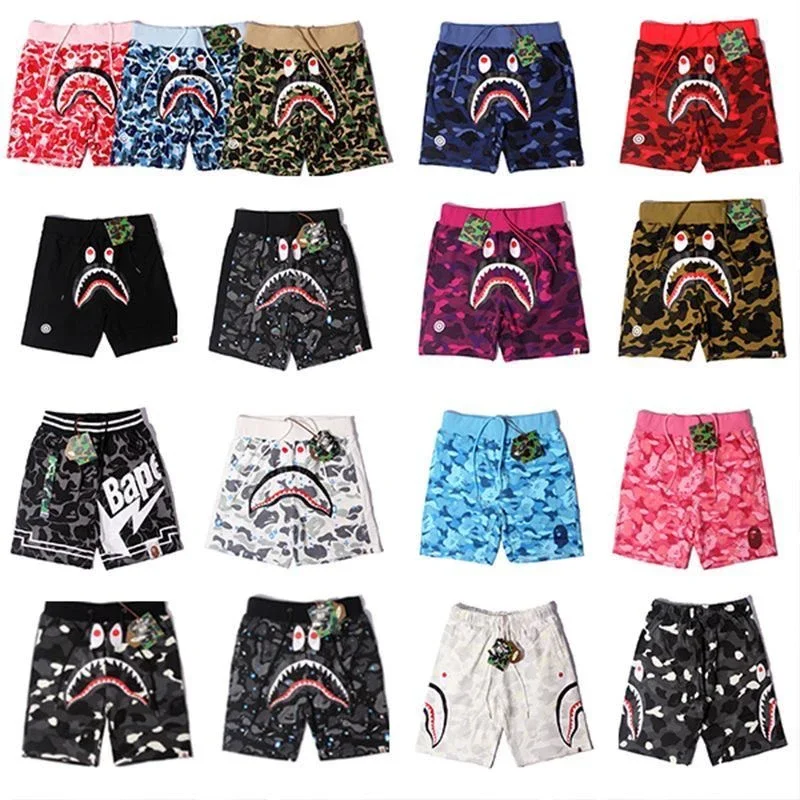
Camouflage shorts
Recorded seller title: 迷彩短裤
Source ID: 7709077232
Recorded price: CNY 180.00Pants & Shorts · Source link checked in API; not a QC result
Before payment or a QC comparison
- Keep the Weidian item ID, seller and exact colour, style and size. Compare the agent's displayed original address and selected-option image, not just the translated title.
- A generated Oopbuy address does not prove an import works. The separately documented September 13 listing check below covers only one other item, not these three examples.
- After warehouse arrival, use your own order's photos. Record the option, order stage and date; request missing label, insole or flat-garment measurements. Photo allowances, extra costs and return deadlines need current provider confirmation.
- Select your destination country and region, then compare actual weight, dimensions, billing rule and included services. FindHaul's calculator is an estimate model, not a live provider quote.
Want to look up a specific product reference? Search the existing product directory by name or Weidian item ID, then check the original listing and exact variant. These are cross-agent research references, not a verified Oopbuy spreadsheet or tested Oopbuy import results.
One listing checked: source to Oopbuy
Checked on . Scope: a browser comparison of one listing, not an order or warehouse inspection.
Weidian item 7564376602 displayed the seller title “Fashion casual T-shirts 13” on both sites. After human verification, Oopbuy loaded the original item address, product imagery and variant options. Style 001 and size S were selected on both sites; the style thumbnail showed the same black graphic T-shirt design. This is a visual listing match, not proof of authenticity, physical measurements or delivered goods.
- Open the original Weidian listing and note the item ID and exact option.
- Paste that source URL into Oopbuy search, complete any human verification yourself, and compare the displayed original address before selecting a style and size.
- Check the selected option’s image and current charges again before deciding whether to order. A matching item ID alone does not identify a specific variant.
No purchase was made, no checkout or stock availability was tested, and no warehouse QC photos were obtained. Seller listing images are not order-specific QC evidence. This single check does not verify the other directory entries or guarantee future loading.
Source references
Trace rechecked September 12, 2026: this independent directory entry displays item ID 7501692560 and links to a Weidian listing and an Oopbuy import URL containing that same ID. The Weidian destination was readable and exposed the matching item ID; the Oopbuy import path was not tested. Matching identifiers establish a link pattern only, not current stock, price, QC, authenticity, seller quality or import compatibility. The directory's agent link includes a referral code.
Read September 12, 2026: the embedded product record exposed item ID 7501692560, matching the directory trace above. Its sellable field was a time-specific source response, not a guarantee of current stock, price, selected variant, QC, authenticity, seller identity or Oopbuy import compatibility. Recheck the listing before using this lead.
Trace rechecked September 12, 2026: the directory labels this item as denim jeans but places it under Hoodies/Sweaters. Use the product record rather than the category alone. The Weidian destination was readable and exposed matching item ID 7477226459; the Oopbuy import path was not tested. This does not confirm current stock, price, QC, authenticity or ordering compatibility. The directory's agent link includes a referral code.
Read September 12, 2026: the embedded product record exposed item ID 7477226459, matching the directory trace above. Its sellable field was a time-specific source response, not a guarantee of current stock, price, selected variant, QC, authenticity, seller identity or Oopbuy import compatibility. No directory price or image is reproduced here.
Read September 9, 2026: the page describes a search of public Google Sheets and discloses affiliate agent links. This is a third-party discovery entry, not an official Oopbuy resource. Individual results, live prices, photos and seller quality were not audited. Its index counts are not FindHaul's verified inventory.
Reference destination checked September 9, 2026. The cloud reader returned no substantive policy text. This link does not verify service fees, storage terms, product-sheet ownership or AI features; confirm current details with the provider.
Editorial Note: This is an independent resource page, not affiliated with Oopbuy. FindHaul does not sell products, process orders, or guarantee seller quality. Always verify current details before making purchase decisions. Read our link safety guide.
Trust & Editorial Information
- Publisher
- FindHaul editorial contributors
- Last reviewed
- Corrections
- Report an issue
- Affiliation
- Independent; not affiliated with Oopbuy
What users usually mean by “Oopbuy finds”
An Oopbuy spreadsheet can refer to a third-party collection of product links rather than a document maintained by the agent. Establish who maintains the sheet and whether it links to original seller listings, agent import pages or referral redirects. An agent name in a spreadsheet title does not establish ownership, endorsement, current stock or compatibility. We have not verified a downloadable Oopbuy product sheet for this page.
Category research checks for Oopbuy
Use categories such as clothing, footwear and accessories as your own organizational labels, not as evidence that products are available or approved for shipping. For each row, record the original listing URL, seller name as displayed, selected size or variant, displayed item price and currency, and the date you checked it. Keep a separate field for unresolved details. Do not copy a headline price into your budget if it belongs to a different variant.
How to use FindHaul with Oopbuy
Start with one spreadsheet row. Check the final link destination before signing in; avoid lookalike domains and do not provide account credentials to a spreadsheet author. Open the source listing, confirm the exact variant and record the displayed price. Confirm import support and current terms through Oopbuy before payment. Separate item cost, domestic delivery, optional services, international shipping and destination charges; leave unknown amounts blank rather than treating them as zero. No current fee percentage or storage allowance is verified here.
QC references and what to check before ordering
Treat community QC pictures as references for the photographed item only. Record the image source, date when available and whether the images correspond to the same seller, variant and order. An illustration or another buyer's photos do not prove what you will receive. Confirm what inspection photos are available for your own order, whether extra views cost money, and the deadline for raising an issue. This page does not verify an Oopbuy AI inspection or seller-scoring service.
Related resource pages on FindHaul
Compare Oopbuy with other agents
Compare written terms for your destination and parcel rather than unsupported agent rankings. Ask each provider about supported goods, billing weight, available routes, optional service costs, storage deadlines and return conditions. Quotes can differ in what they include, so compare the same item, variant and parcel assumptions. FindHaul has not tested Oopbuy checkout, shipping performance or any claimed AI shopping features for this guide.
View full agent comparisonLast Reviewed
Editorial Note
Two attributed examples show how to trace an item ID and recognize a category mismatch. Both Weidian records were readable with matching item IDs on the review date, but their volatile fields are not current inventory, price, QC, authenticity, seller-quality or import-compatibility guarantees. This is not a purchase test or endorsement. Existing search and provider references are retained.
Independent Research Resource: FindHaul is independent and not affiliated with Oopbuy or any other agent brand. This page provides educational resource links and editorial notes. Always verify current price, stock, QC and shipping details on the official Oopbuy platform before purchase. FindHaul does not sell products or process orders.