QC Finds & QC Photos Database
QC finds are quality control inspection photos taken by shopping agents at their warehouses. This reference database organizes QC photos, product references and spreadsheet finds from Kakobuy, Acbuy, Superbuy, Litbuy, Mulebuy, Oopbuy, CSSBuy, Sugargoo, USFans, AllChinaBuy and more — helping buyers compare product details, verify seller quality and make informed purchasing decisions across Taobao, Weidian and 1688.
What Are QC Finds?
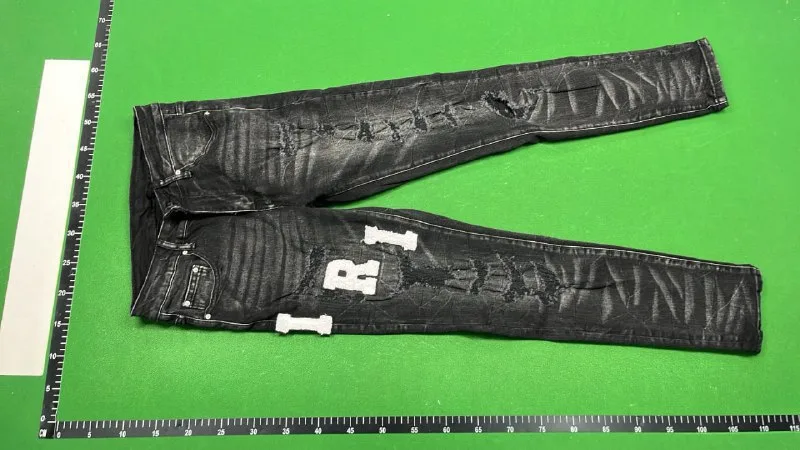
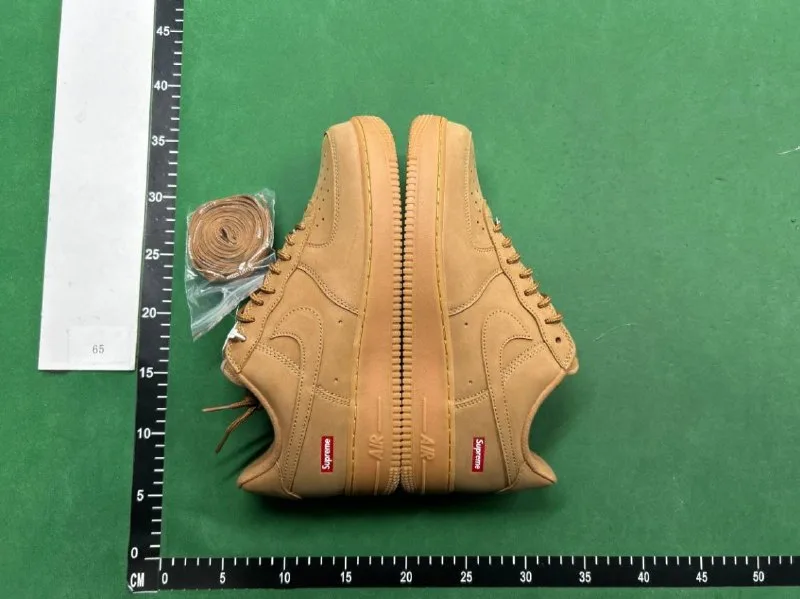
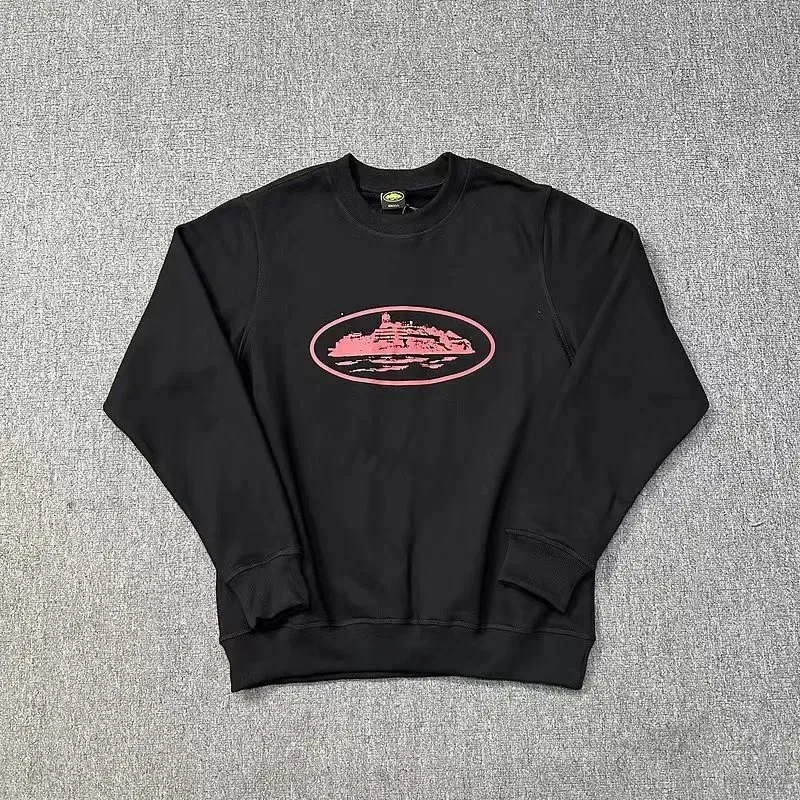
QC finds — short for Quality Control finds — are product inspection images taken by shopping agents when items arrive at their warehouse. When you place an order through a shopping agent like Kakobuy, Sugargoo, or Superbuy, the agent receives the product from the seller and photographs it from multiple angles before shipping it to you internationally. These photographs are what the community calls QC finds or QC photos.
The purpose of QC finds is straightforward: they let you verify what you actually received against what was advertised. A product listing on Taobao or Weidian might show idealized studio photos, but the QC photo reveals the real item — its actual color, stitching quality, material texture, label accuracy, and packaging condition. If something looks wrong in the QC photos, you can request a return or exchange before paying for international shipping.
On FindHaul, QC finds are organized as reference images — not as guarantees of quality, but as visual evidence that helps buyers compare products across different sellers and agents. By browsing QC finds from multiple sources, you can identify which sellers consistently deliver good quality and which ones have inconsistent results. This makes QC finds one of the most valuable tools in the shopping agent ecosystem.
Some users search for QC finds using shorter terms such as qcfnds, qcfind, finds qc, or qc finder. Whether you type qcfnds, qcfind, finds qc, or qc finder into a search engine, these queries all point to the same goal: finding quality control photos, spreadsheet links, agent item references and product discovery resources. This page is the FindHaul hub for all QC-related searches.
How QC Photos Help Buyers
QC photos are the single most important step between placing an order and receiving your package. Without QC photos, you are shipping blind — trusting that the seller sent exactly what was advertised. With QC photos, you gain visibility into the actual product condition before committing to international shipping costs that can range from $15 to $80+ depending on weight and destination.
Here are the key ways QC photos help buyers make better decisions:
- Verify product accuracy: Compare the QC photo against the original listing to check colors, patterns, logos, and design details. Discrepancies are common — QC photos catch them before shipping.
- Check material and build quality: QC photos reveal stitching consistency, fabric weight, hardware finish, and overall construction. A product that looks premium in the listing might show loose threads or cheap hardware in QC photos.
- Confirm sizing and labels: Many sellers ship incorrect sizes or use different size tags than what was ordered. QC photos of size labels and measurements let you confirm before the item leaves the warehouse.
- Document condition for disputes: If the item arrives damaged or different from what was shown, QC photos serve as evidence for refund or exchange requests through your agent.
- Compare across sellers: By browsing QC finds from multiple sellers for the same product type, you can identify which sources consistently deliver better quality — saving money and avoiding disappointment.
Places to Find QC References
QC photo references come from multiple sources. The most reliable are warehouse QC photos taken directly by shopping agents, but community-shared QC photos on forums and social platforms also provide valuable comparison points. Here is where to look for QC references organized by reliability and usefulness:
Agent Warehouse QC Photos
The most reliable QC references come directly from agent warehouses — Kakobuy, Sugargoo, Superbuy, CSSBuy and others photograph every item upon arrival. These are the QC photos you receive in your agent dashboard after ordering.
Community QC Review Threads
Reddit communities like r/repsneakers, r/fashionreps, and r/qualityreps feature detailed QC review threads where experienced buyers analyze photos and share quality assessments.
Spreadsheet QC Collections
Community-maintained spreadsheets often include QC photo links alongside product links, organized by category and seller. FindHaul indexes these spreadsheet finds in our spreadsheet finds section.
FindHaul QC Reference Pages
FindHaul aggregates QC photos and product references across 13 shopping agents and organizes them by agent, category, and item type — making it easy to browse and compare QC finds in one place.
QC Photo Reference Examples
QC Sneakers — Nike Dunk Low
QC Essentials Hoodie
QC Jordan 1 Retro
QC Cargo Pants
QC Leather Belt
QC Crossbody Bag
QC Graphic Tee
QC Chunky Sneakers
QC Finds by Shopping Agent
Kakobuy QC Finds
Kakobuy provides detailed warehouse QC photos for every order, typically within 1-2 business days of item arrival. Their QC photo service includes multiple angles — front, back, sole, tags, and stitching close-ups. Kakobuy also offers additional detailed photos upon request for a small fee. Browse Kakobuy finds with QC references organized by category.
Kakobuy QC FindsAcbuy QC Finds
Acbuy offers free standard QC photos with 3-5 images per item. Buyers can request additional detailed photos for specific areas like tags, stitching, or measurements. Acbuy's QC turnaround is typically 1-3 business days. Browse Acbuy finds for QC photo references across sneakers, streetwear, and accessories.
Acbuy QC FindsSuperbuy QC Finds
Superbuy is one of the longest-running agents and provides comprehensive QC photos as standard service. Photos include multiple angles, size labels, and any visible defects noted by warehouse staff. Superbuy stores QC photos for 180 days. Browse Superbuy finds with QC photo references.
Superbuy QC FindsSpreadsheet Resources & QC Photo References
Spreadsheet finds and QC photos go hand in hand. Community spreadsheets often include QC photo links alongside product links — letting you see what other buyers received from the same seller before placing your own order. This is particularly valuable for popular items where multiple buyers have already ordered and shared their QC experiences.
On FindHaul, spreadsheet finds are organized into collections: sneaker spreadsheets, streetwear spreadsheets, budget finds spreadsheets, QC reference spreadsheets, accessories spreadsheets and haul planning spreadsheets. Each collection links to product pages where available QC photos can be reviewed. This integration between spreadsheet finds and QC photo references makes FindHaul a comprehensive resource for both product discovery and quality verification.
When browsing spreadsheet finds, look for entries marked with QC references — these indicate that community members have already received and photographed the item, giving you confidence in what to expect. For agents that do not provide QC photos, spreadsheet finds with community QC references become even more valuable as the only pre-purchase quality indicator.
QC Photos Are References, Not Guarantees
It is important to understand what QC photos can and cannot tell you. QC photos show the specific item you received — not every item the seller ships. Quality can vary between batches, sizes, and even individual units. A great QC photo from one buyer does not guarantee that every order from that seller will match.
Additionally, QC photos cannot capture everything: fabric feel, material weight, odor, and long-term durability are impossible to evaluate from photographs alone. Use QC photos as a helpful reference point, not as a definitive guarantee of product quality. Combine QC photo reviews with seller feedback, community discussions, and your own judgment when making purchasing decisions.
How to Use the QC Finds Database
Follow these steps to get the most value from FindHaul's QC finds and QC photo reference database.
Browse QC Photos by Agent
Start by selecting your preferred shopping agent — Kakobuy, Superbuy, Sugargoo, or others — to browse QC photo references organized by that agent's warehouse photography.
Compare Across Sellers
Review QC photos from multiple sellers for the same product type. Identify which sellers consistently deliver better quality at similar price points.
Check Spreadsheet Resources
Cross-reference QC finds with spreadsheet finds to discover new products, compare prices across sellers, and find haul planning ideas.
Browse QC Finds by Agent
Related Discovery Pages
Frequently Asked Questions About QC Finds
Editorial Note
QC photo references come from community-shared sources and agent warehouse photos. FindHaul is an independent discovery resource and is not affiliated with any shopping agent. QC photos are references only — confirm current product details, pricing, stock availability and shipping costs on the official agent or seller page before purchasing.
Explore More Finds
Discover related spreadsheet finds, QC photos, product links and shopping resources across FindHaul.